1.Go to Tools menu > Bulk Task Update. By default, the Add New Tasks & Costs option is selected.
2.Select the datafile to update from the drop-down menu.
| 3. | Under Record Selection, choose the records to add tasks and costs to. |
You can enter records manually, or enter the name of a Saved List in the List Name field.
| 4. | Fill in the details for the task, such as Task, Person Responsible, Due Date, or Costs. |
| 5. | Click OK. |
You will be prompted to select a report type and destination.
| 6. | Click OK. |
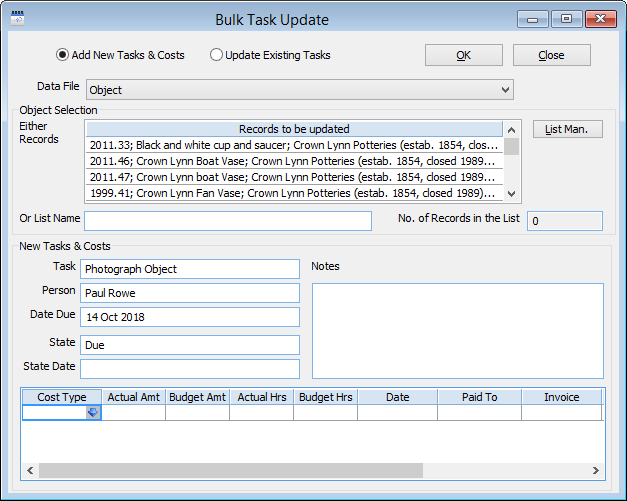
A photography task being added in bulk to some Object records.
